
Galaxy Bowling 3D
WinterlightSports
4.510.31K Reviews
- Version
- 15.51
- Installs
- 10.00M
- Age Rating
- Everyone
Screenshots
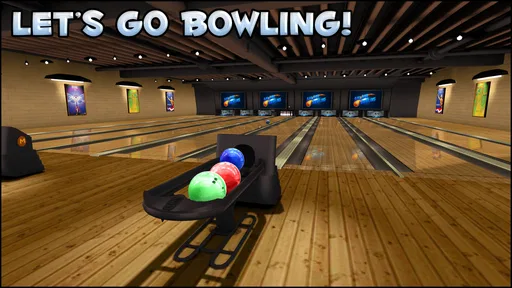
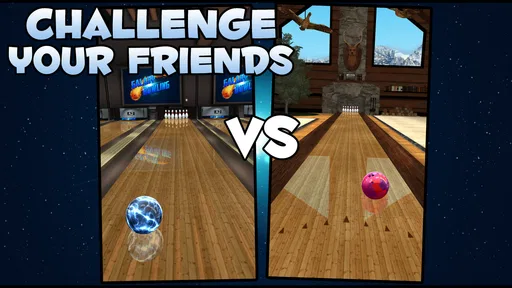
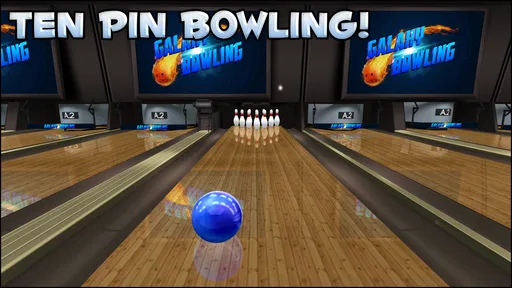
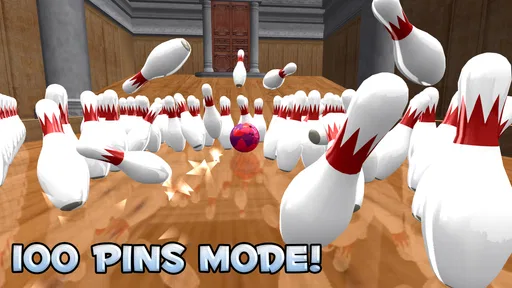
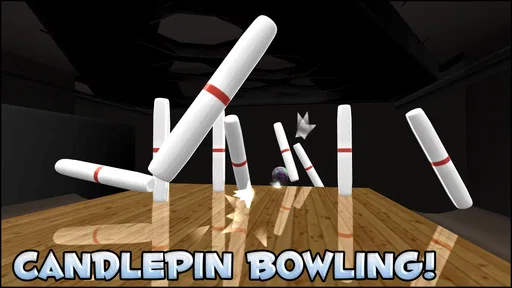
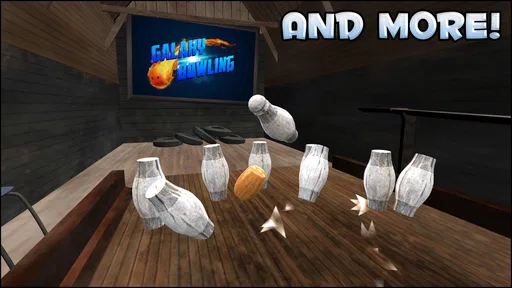
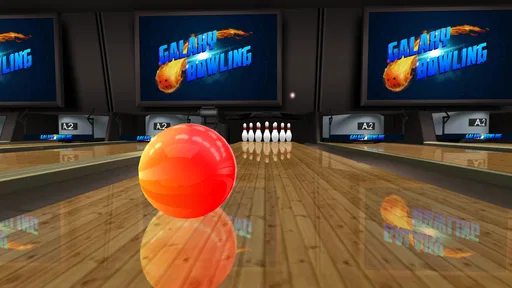
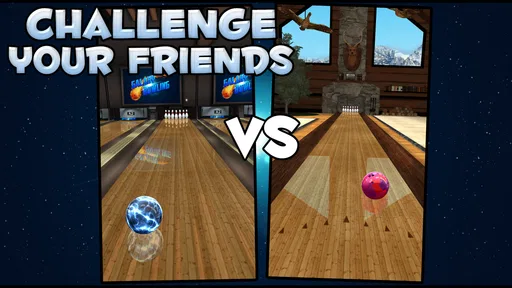
Our Review of Galaxy Bowling 3D
 Analysis by Appyee
I picked up Galaxy Bowling 3D expecting a quick bowling diversion, and that is exactly where it makes the most sense. It is a free sports game from Winterlight that turns a familiar bowling session into something easy to start, easy to understand, and flexible enough for short breaks. I would not treat it as a full replacement for a dedicated console bowling game, but I found it much more appealing than many throwaway mobile sports titles because the basic activity remains satisfying without demanding a long learning period.
The game has been available since June 21, 2011, and its continued presence is easy to understand once you play it. Bowling works particularly well on a touchscreen: aim, set the strength of the throw, add direction or spin when needed, and watch the result. That simple rhythm gives the game an immediate quality that suits both casual players and people who enjoy improving through repetition.
How the free entry point translates into real value
The most important cost detail is straightforward: the game is free to download and play. That makes it easy to test without committing money first, which matters for a small sports game that may appeal strongly to one player and barely hold another person’s attention. Optional in-app purchases range from $0.99 to $4.99 per item, so spending is available, but the free entry point is the sensible place to begin.
I appreciate that distinction because a free game can still be poor value if it constantly interrupts the basic experience or makes the main activity feel incomplete. Here, the useful question is not whether every possible extra is included at no cost, but whether the free version gives you enough bowling to decide if you actually enjoy it. For a quick, low-risk download, it does.
The game is rated for Everyone, which fits its straightforward presentation and accessible premise. It is also a practical choice for a shared device or a family member who wants a sports game without complicated controls. The age rating should not be confused with depth, though. A game can be suitable for a broad audience while still feeling repetitive to someone looking for a large career mode or a detailed simulation.
Its store presence is substantial, with more than 10 million installs and an average rating of 4.5 from roughly 84 thousand ratings. Those figures do not guarantee that it will suit your taste, but they do suggest that the basic touch-bowling formula has reached a wide audience. I would read that popularity as evidence of accessibility rather than proof of advanced realism.
The first few games: simple controls, demanding accuracy
The initial appeal comes from how quickly the controls make sense. You do not need to study a manual before taking a shot. The challenge appears after that first understanding: a throw that looks almost correct can leave pins standing, and a small adjustment in aim or release can change the result. That gives the game a useful learning curve without making the opening feel hostile.
My best advice is to avoid chasing spectacular shots immediately. Start by learning how the ball responds to a normal, controlled delivery. Once you know how much movement the touchscreen input produces, you can experiment with angles and spin more deliberately. This is one of the less obvious strengths of the game: improvement comes from developing a repeatable motion, not simply tapping as quickly as possible.
That repeatability also makes it suitable for short sessions. If I have only a few minutes, I can play a small number of frames and stop without feeling that I abandoned a long quest. The format works during a commute, while waiting for an appointment, or as a relaxed break between more demanding tasks. It is not a game that needs a large uninterrupted block of attention.
Where the bowling feels more rewarding than expected
The satisfying part is the relationship between intention and result. When a shot works, it feels connected to the adjustment I made rather than completely random. When it fails, I can usually identify a likely reason: the angle was too ambitious, the release was inconsistent, or I tried to force a result instead of repeating a reliable approach.
That makes the game more interesting than a simple animation of a ball rolling toward pins. The visual result still matters, but the real engagement comes from making small decisions before each delivery. Players who enjoy score chasing will find more to do here than players who only want an instant spectacle.
A useful everyday scenario is playing with a friend who does not normally play mobile games. Bowling is familiar enough that the rules do not need much explanation, while the controls can be demonstrated in a few seconds. I would use it as a casual pass-and-play activity rather than expecting it to create the same social atmosphere as a real bowling alley. The phone screen keeps the interaction compact, but that can be an advantage when there is no time or space for anything larger.
Small habits that improve the experience
First, I recommend treating the opening throws as calibration rather than wasted attempts. Pay attention to how far the ball moves when you make a modest adjustment, then build from there. This is especially helpful if you switch between phones or return to the game after a break, because touchscreen control can feel slightly different from one device to another.
Second, keep a mental note of the shots that produce reliable results. It is tempting to change direction dramatically after one poor frame, but a calmer correction is usually more useful. The game rewards patience more than frantic experimentation, particularly when you are trying to improve a score rather than simply finish a round.
Third, use short sessions to separate practice from score chasing. In one session, focus on learning control and consistency. In another, focus on making conservative choices and avoiding unnecessary risks. Mixing those goals can make an ordinary mistake feel more frustrating than it needs to be.
These habits do not turn the game into a professional bowling simulator, but they reveal a layer that a quick store description would not communicate. The enjoyment depends less on the number of minutes played and more on whether you like refining a small physical routine.
What you receive compared with other mobile sports games
Compared with arcade sports games built around constant action, this one is slower and more deliberate. There are no rapid attacks, complicated team decisions, or large roster-management systems competing for attention. That is a strength if you want a focused activity, but a weakness if you need variety every few minutes.
Compared with a realistic bowling simulator, the experience is easier to approach and less intimidating. A dedicated simulation may offer more detailed ball behavior, advanced settings, or a stronger sense of long-term progression. I would choose that kind of alternative if my priority were technical authenticity or a deep career structure. I would choose this game when I want the central act of bowling without a lot of preparation.
It also compares well with physical bowling in one specific way: it removes the practical barriers. There is no trip to a bowling center, no need to gather a group, and no need to reserve time for a complete outing. Of course, it cannot reproduce the physical movement, lane atmosphere, or social experience of bowling in person. The trade is convenience for immersion.
Where the value starts to narrow
The main limitation is repetition. Bowling naturally revolves around repeated throws, and a mobile adaptation has to make that repetition feel worthwhile. If you enjoy chasing cleaner frames and gradually improving your control, the loop can remain pleasant. If you need frequent new mechanics, changing objectives, or a strong narrative reason to continue, the appeal may fade sooner.
I would also be cautious about expecting the game to replace a more feature-heavy sports title. The verified store details identify it as a bowling game, not as a broad collection of sports, so it should be judged on that narrower purpose. Someone searching for football, basketball, racing, or a large multiplayer ecosystem is looking in the wrong place.
The optional purchases are another point to consider. The game costs nothing to start, but some players may feel tempted to pay for extras once they have settled into the routine. That is not automatically a problem, yet I would decide in advance whether I am happy with the free experience. The clearest value comes from downloading it first, playing enough to understand the core loop, and only then considering whether any optional item genuinely improves my use of it.
Because the current version is 15.40 and the minimum operating-system requirement is 7.1, it is positioned to work across a broad range of older and newer mobile devices. That is useful for people who do not own the latest phone. Still, compatibility alone does not mean every device will provide the same comfort or responsiveness; screen size and touch sensitivity can affect how natural the controls feel.
Who should install it?
I think it is a strong match for casual players who want a recognizable sport with almost no learning barrier. It suits people who enjoy score improvement, short sessions, and touch controls that reward small adjustments. It is also a reasonable family-friendly option because the Everyone rating and simple premise make it easy to introduce to different age groups.
It may be especially useful for someone who likes games that can be paused mentally as well as physically. You can play a few throws, put the phone away, and return later without needing to remember a complicated story or a large set of objectives. That low commitment is a real benefit, not merely a lack of ambition.
I would skip it if you dislike repetition, want a deep simulation, or expect a constant stream of new content. I would also skip it if the main reason you enjoy bowling is the physical and social setting of an actual lane. No touchscreen game can provide that atmosphere, and this one should not be selected with that expectation.
Players who normally prefer competitive online games may also find the experience too quiet unless they already enjoy personal score goals. The game’s value is strongest when the act of throwing is enough to keep you engaged. If you need opponents, teams, or a persistent competitive structure to stay interested, another sports title will likely offer a better fit.
My recommendation after weighing the trade-offs
For me, the best argument for Galaxy Bowling 3D is its balance of immediate access and modest skill. It is free to try, familiar within seconds, and capable of making a short break feel like a complete activity. The developer, Winterlight, has kept the central idea clear enough that I do not have to fight through layers of menus before reaching the part I downloaded it for.
The recommendation comes with a clear condition: enjoy it as a focused bowling game, not as a complete sports universe. Its value is not based on unlimited variety or a premium-scale presentation. It comes from having a convenient digital lane available whenever I want a few controlled throws.
If you are unsure, the purchase decision is easy because the starting cost is free. Install it, spend a session learning the controls, and notice whether you feel interested in improving the next frame. If that small improvement loop feels satisfying, the optional purchases can remain a personal choice rather than a requirement for discovering the game.
My final verdict is to install it if you want a relaxed, accessible bowling game for short sessions and gradual score chasing. I would recommend skipping it only when you are specifically looking for deep simulation, broad sports variety, or the atmosphere of real-world bowling. For everyone else, the free entry point and focused touch-bowling loop make it an easy game to try and a surprisingly dependable one to keep around.
Privacy and Permissions
See what permissions an app requests and how it handles your data.
- Wi-Fi connection information
- view Wi-Fi connections
- Other
- view network connections, full network access, control vibration, prevent device from sleeping, Google Play license check
Verdict
Strengths of Galaxy Bowling 3D
- Realistic 3D physics make ball movement feel satisfying and responsive.
- Multiple bowling environments add visual variety to regular matches.
- Simple controls are easy to understand for new players.
- Quick rounds work well for short gaming sessions.
- Offline play lets you enjoy matches without a constant connection.
Limitations of Galaxy Bowling 3D
- Progression can feel repetitive after playing the same modes repeatedly.
- Some advanced content may require in-app purchases to unlock.
- Physics occasionally feel inconsistent on difficult shots.
- Ads may interrupt the experience, especially between rounds.
- The game can consume noticeable battery during longer sessions.
Similar Picks in This Category
View All
8 Ball Pool
Miniclip.com4.8

Pooking - Billiards City
AIM TOP GAME TECHNOLOGY LIMITED - pool4.6

Carrom Pool: Disc Game
Miniclip.com4.4

EA SPORTS FC Soccer Mobile 26
ELECTRONIC ARTS4.6

World Soccer League
mobirix4.3

Soccer Cup 2026: Football Game
INLOGIC SPORTS - football tennis golf soccer4.3
Frequently Asked Questions
What is Galaxy Bowling 3D?
Galaxy Bowling 3D is a casual bowling game for mobile devices that combines traditional ten-pin bowling with colorful 3D environments and arcade-style presentation. After testing its menus and gameplay, the main appeal is its simple controls: players swipe to aim and set the ball’s power, then add spin when needed. It is designed for quick matches, practice sessions, and relaxed play rather than a highly realistic bowling simulation.
How does the gameplay and control system work?
The game uses touch-based controls that are easy to understand, even for beginners. You generally drag or swipe to choose the direction and strength of your throw, while additional gestures can help apply curve or spin to the ball. The controls feel accessible for casual players, although accurate shots may require practice because small changes in angle or power can strongly affect the result.
Does Galaxy Bowling 3D offer different modes or ways to play?
Galaxy Bowling 3D typically provides more than a single standard bowling experience, with options that may include regular matches, challenge-based play, tournaments, or other arcade variations depending on the version installed. These modes help keep the game from feeling repetitive, especially when you want something beyond a quick ten-frame match. Available content can vary by platform and future updates.
Can Galaxy Bowling 3D be played offline, and does it require an internet connection?
Basic bowling gameplay may be available without a constant internet connection, which makes the app suitable for short sessions while traveling or when mobile data is unavailable. However, certain features can depend on connectivity, including advertisements, online competitions, cloud-related services, purchases, or updated content. It is best to launch the game once while connected and check which modes remain accessible offline.
Is Galaxy Bowling 3D free to download, and are there advertisements or in-app purchases?
Galaxy Bowling 3D can generally be downloaded without an upfront payment, but free access may be supported by advertisements and optional in-app purchases. Ads can appear between rounds or while navigating the game, while purchases may provide cosmetic items, currency, upgrades, or other conveniences depending on the release. Before downloading, review the store listing and payment settings if you want to avoid unexpected spending.
Play our best games!


